
Developers ignore stock photos of "Business people shaking hands".
Texavor's Visual Studio is tuned to generate Technical Aesthetics—Cyberpunk, Synthwave, Clean UI, and Minimalist Dark Mode visuals that appeal to engineers.
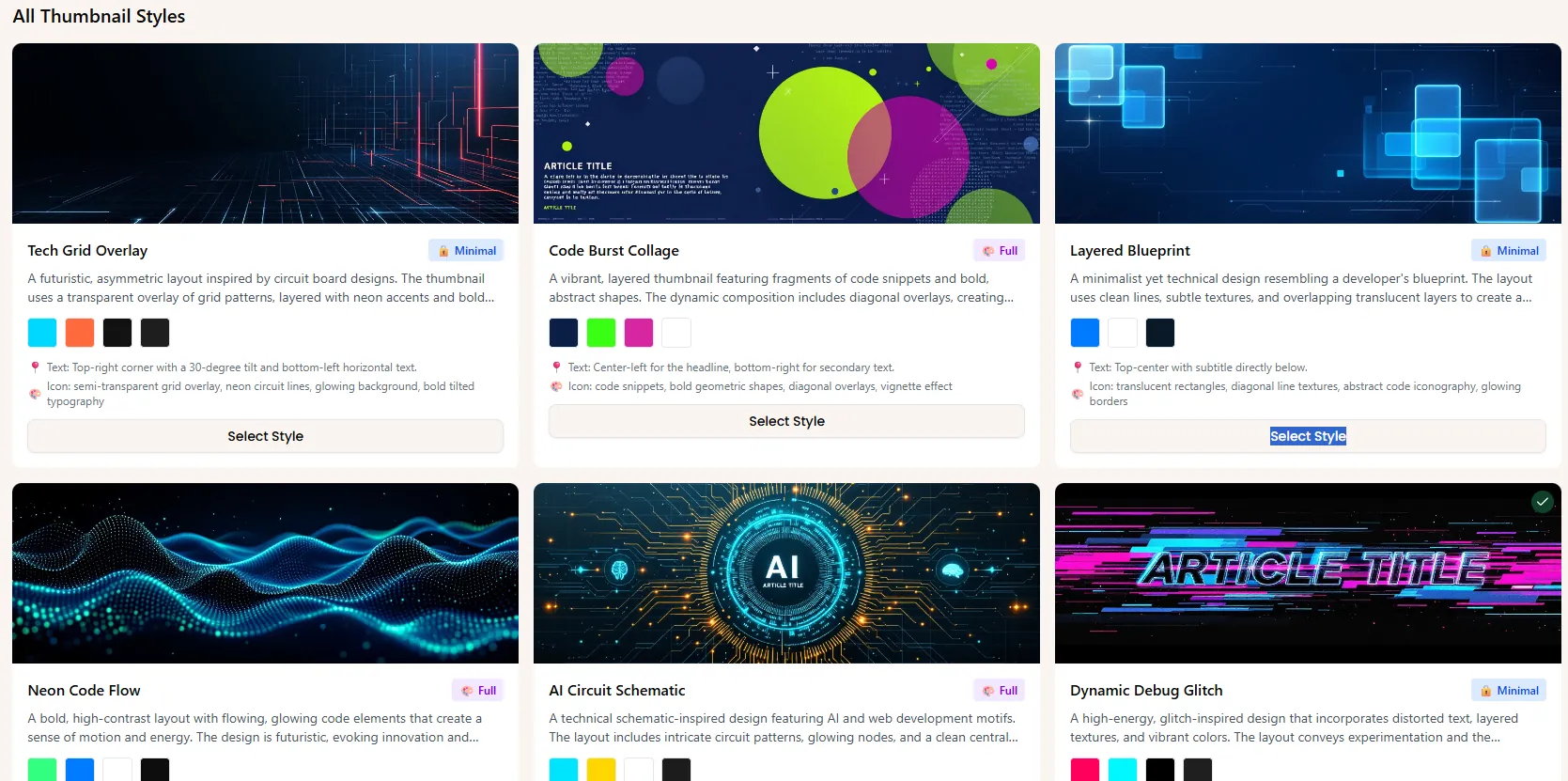
1. The "Code-Style" Generator
We use a specialized Stable Diffusion pipeline fine-tuned on:
- Abstract Topology: Connectivity graphs, nodes, and networks.
- Terminal Aesthetic: Green/Purple phosphor glows on dark backgrounds.
- Isometric Architecture: Cloud infrastructure diagrams.
How to use:
- Open Article.
- Click "Generate Assets".
- Choose Style:
[ ] Minimal Dark[ ] Synthwave[ ] Sketch. - Result: A unique cover image that looks like it belongs on a Senior Engineer's blog.
2. Smart Brand Injection
AI images often look generic. We fix this by layering your Brand Identity over the generation.
- Logo Watermark: We automatically place your logo in the corner (opacity adjustable).
- Typography: We overlay the Article Title using your brand font (e.g., Inter or Fira Code).
- Color Grading: We apply a subtle tint filter matching your primary Hex code.
3. Beyond Thumbnails: Diagram Generation
Texavor can turn text descriptions into Mermaid.js diagrams or simple architectural flowcharts.
- Highlight a step-by-step list in your editor.
- Click "Visualize".
- We generate a clean flow-chart image representing the logic.
Need help publishing your content strategy?
- 📧 Email Support: hello@texavor.com
- 📚 Documentation: Browse the full guide