
Don't build your house on rented land. But do invite guests.
Medium is an excellent "Distribution Channel". Texavor allows you to push content there while keeping 100% of the SEO credit on your own domain.
Features
- Canonical Safety: We set the
canonicalUrlfield to your primary blog post. This tells Google: "The original version is here. The Medium post is just a copy." - Publication Support: Submit drafts directly to Publications you are a writer for.
- Tag Mapping: We map your first 3 Texavor tags to Medium (API Limit).
1. Get Integration Token
- Go to Medium Settings > Security and apps.
- Scroll to "Integration tokens".
- Type a description (e.g., "Texavor") and click Get integration token.
- Copy the token.
2. Connect in Texavor
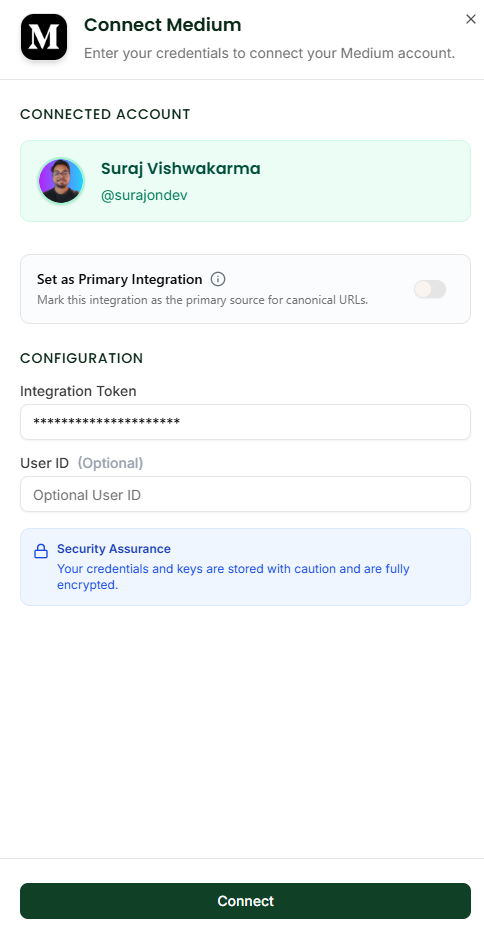
- Navigate to Integrations.
- Click Connect on the Medium card.
- Paste your token.
- Click Verify. We will fetch your user profile.
3. Publishing Workflow
When you click Deploy:
- Select [x] Medium.
- Publication: Choose a publication if you want to submit it to one (e.g., "Towards Data Science").
- Status:
- Public: Live immediately.
- Draft: Sent to your drafts folder (safest option).
- Unlisted: Accessible only via link.
FAQ
Q: Can I put it behind the Paywall?
A: Yes. Use the [x] Member-only checkbox in the Deploy modal.
Q: Why only 3 tags?
A: The Medium API strictly limits automated posts to 3 tags. We use your first 3 tags. You can add 2 more manually if you push as a Draft.