
Expand your reach to millions of developers.
Texavor connects directly to the Forem API (the engine behind Dev.to) to publish your Markdown content as native Dev.to posts.
Features
- Canonical Safety: We automatically inject
canonical_urlpointing to your primary blog. - Organization Support: Publish to your personal profile OR your Company Blog.
- Series Sync: Group articles into Dev.to Series.
- Tag Mapping: We map your metadata to Dev.to's maximum of 4 tags.
1. Setup
- Go to Dev.to Settings > Extensions.
- Scroll to "DEV Community API Keys".
- Generate a new key named "Texavor".
- Copy the key.
2. Connect in Texavor
- Navigate to Settings > Integrations.
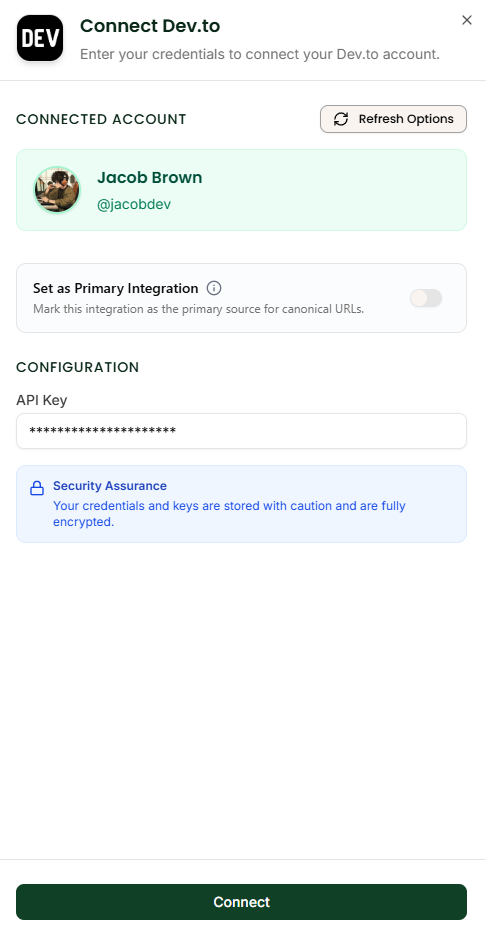
- Click Connect on the Dev.to card.
- Paste your API Key.
- (Optional) Organization ID: If you want to publish under a company brand (e.g. "Stripe Developers"), enter your Org ID here. If left blank, it defaults to your personal profile.
3. Publishing Workflow
When you click Deploy:
- Select [x] Dev.to.
- Cover Image: We upload your thumbnail to dev-to-uploads.s3.amazonaws.com.
- Draft vs Public: You can choose to push as a "Draft" (so you can preview it on Dev.to first) or "Public" (live immediately).
FAQ
Q: Does this hurt my SEO?
A: No. Because we set the canonical link to your site, Google attributes 100% of the authority to you. Dev.to is simply a distribution channel.
Q: Can I update the post later?
A: Yes. If you edit the article in Texavor and click Deploy again, we update the existing Dev.to post instead of creating a duplicate.